Actions with evidence.
Before-and-after screenshots, highlighted clicks, grouped typing with IME support, and the page context behind each step.
Turn clicks, typing, and the context in between into a visual workflow your AI can follow.
Free · Chrome 125+ · Coming to the Chrome Web Store.
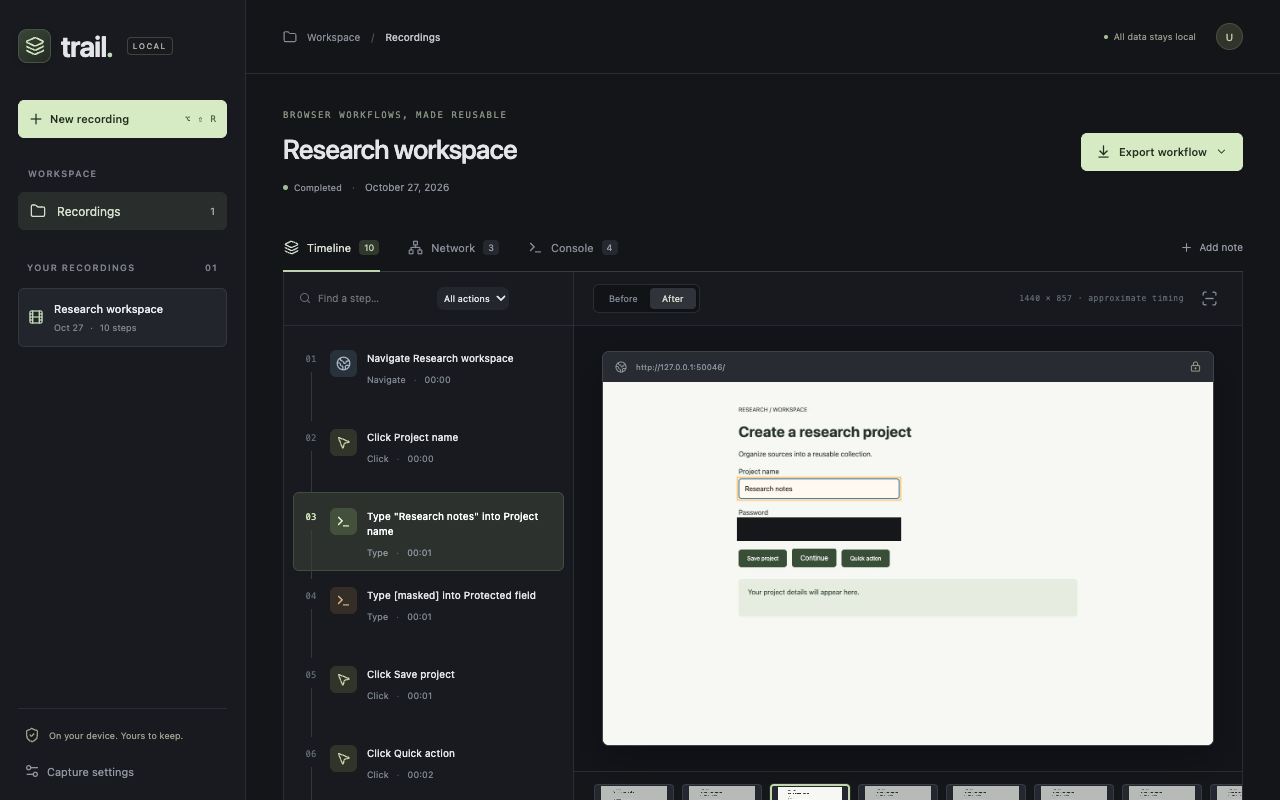
Before-and-after screenshots, highlighted clicks, grouped typing with IME support, and the page context behind each step.
Inspect the timeline, network requests, and console messages. Add notes, exclude steps, and redact private areas before sharing.
Export Markdown, screenshots, structured events, and an offline viewer in one ZIP. Trail never sends recordings to an AI itself.
The store listing is being prepared. Once approved, this page will link directly to Trail in the Chrome Web Store.
Recording follows foreground tabs in one window. Pause for private tasks, stop when finished, and review the results. Recognized secrets are masked, but other sensitive content can remain.
Trail uses Chrome’s debugger API; Chrome shows a debugger banner while recording. Opening DevTools can pause capture. WebM export is a silent movie generated from saved screenshots, without continuous video or audio recording.
Read the privacy policy →